

Formative assessment for schools
Get marked work back to class sooner.
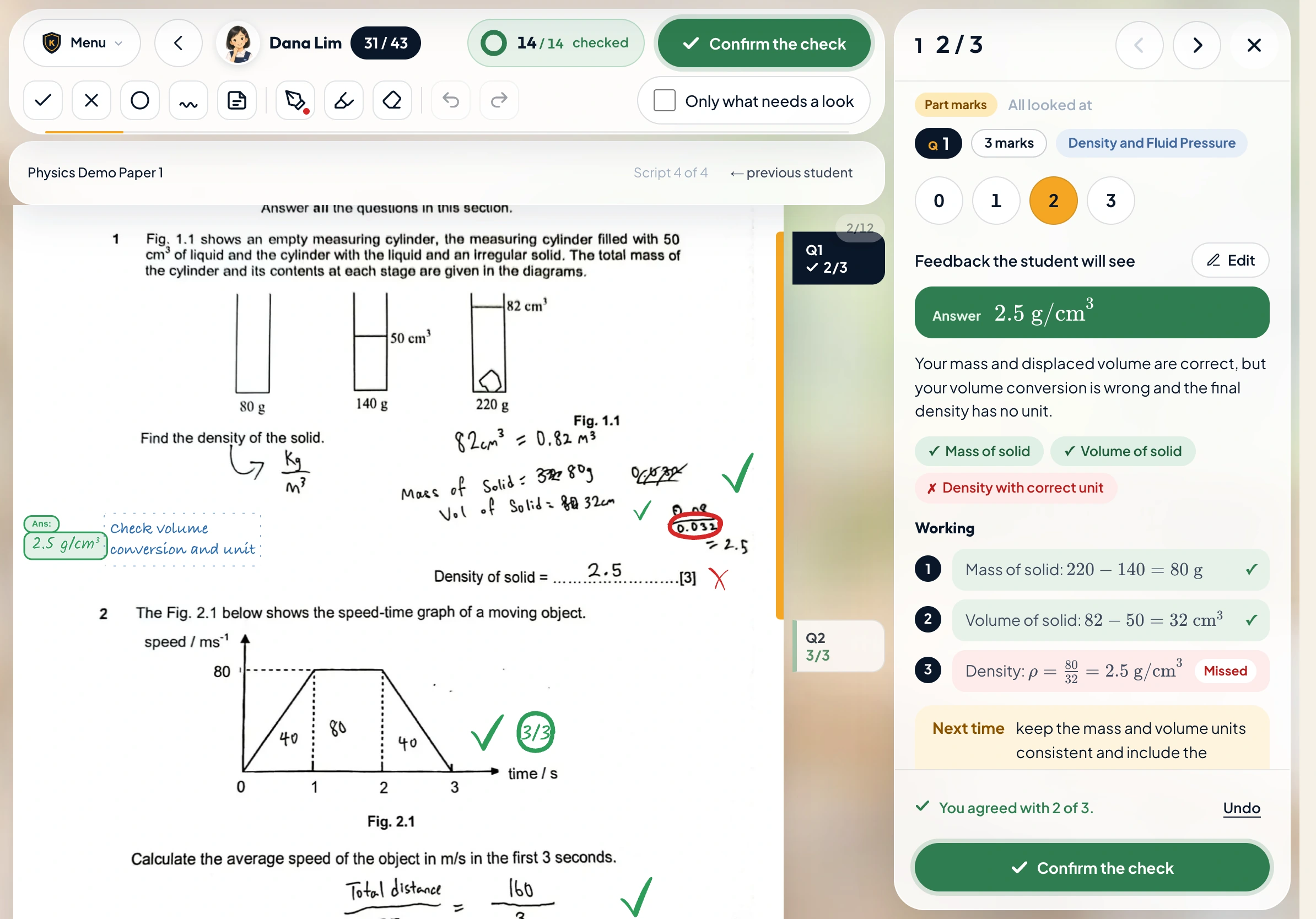
Set a paper you already teach with. Ms Lumi does the first pass of marking. You check the marks, and your students can work through each correction while the lesson is still fresh.
At the teacher’s desk
What needs a second look?
A pile of scripts makes it hard to see a pattern. Open one assignment to track hand-ins, compare how the class answered a question and decide what to revisit.
See how teachers check the marking →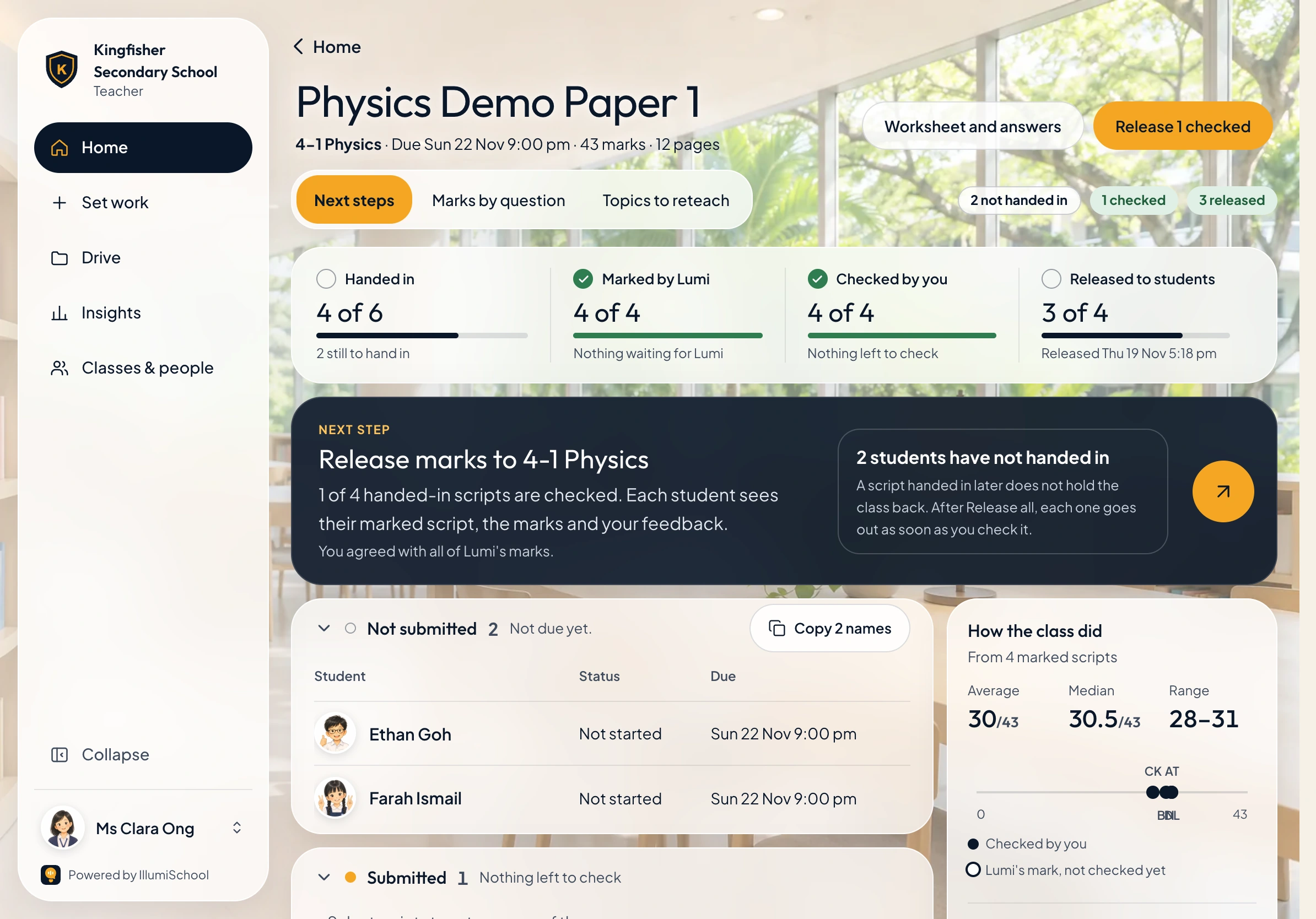
See who has handed in, which scripts Ms Lumi has marked and which are ready for you to release.
On the student’s paper
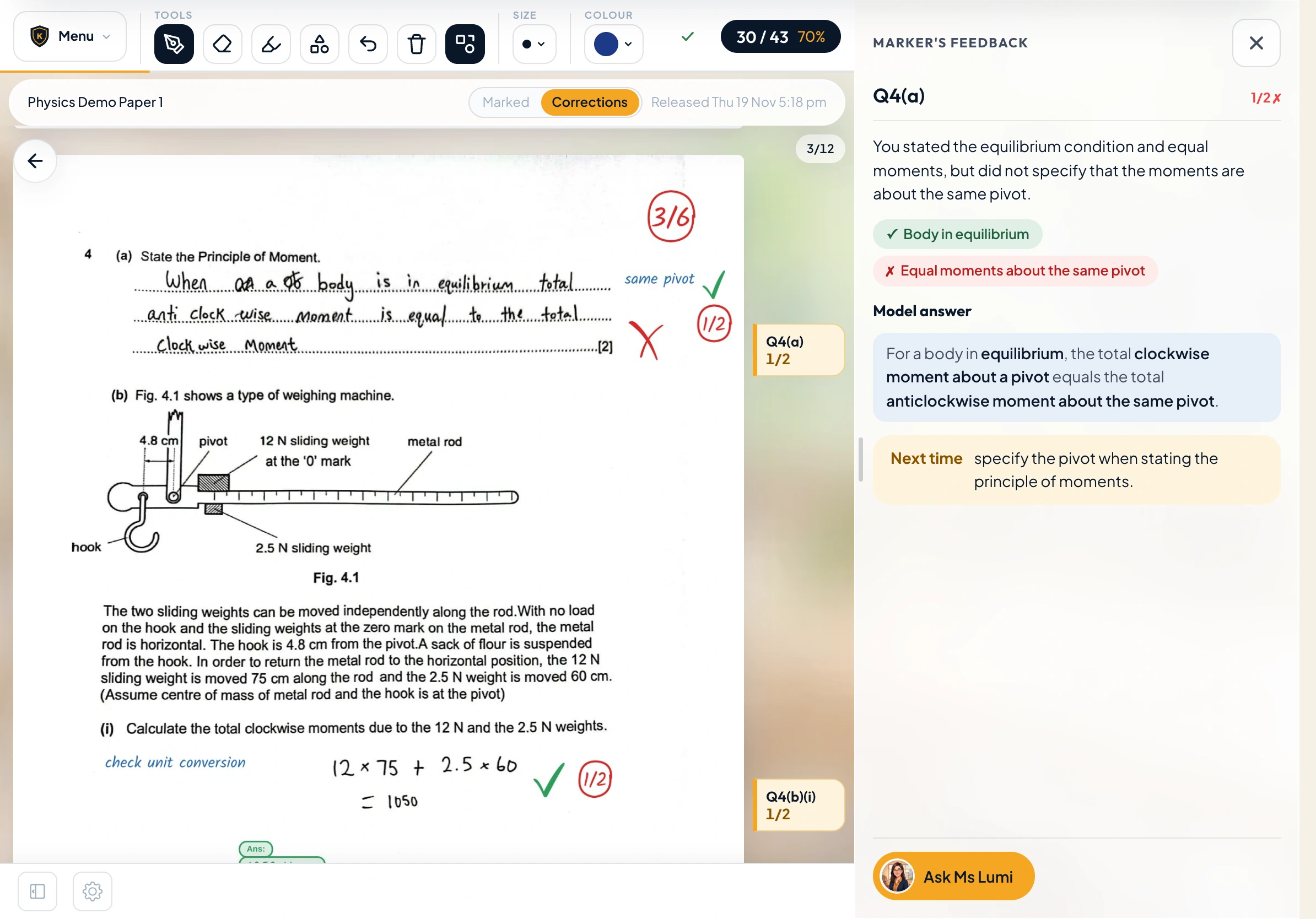
Give a student somewhere to go after the mark.
Students can tap a marked answer, read why it earned those marks and write a correction on the page. With tutoring enabled, they can talk through that same question with Ms Lumi.
Explore the returned paper →Independent practice
Another paper, when they’re ready.
Your department chooses what goes in the library. A student can pick a paper and get it marked without waiting for a new assignment. Staff can see the attempt and follow up.
Look inside the school library →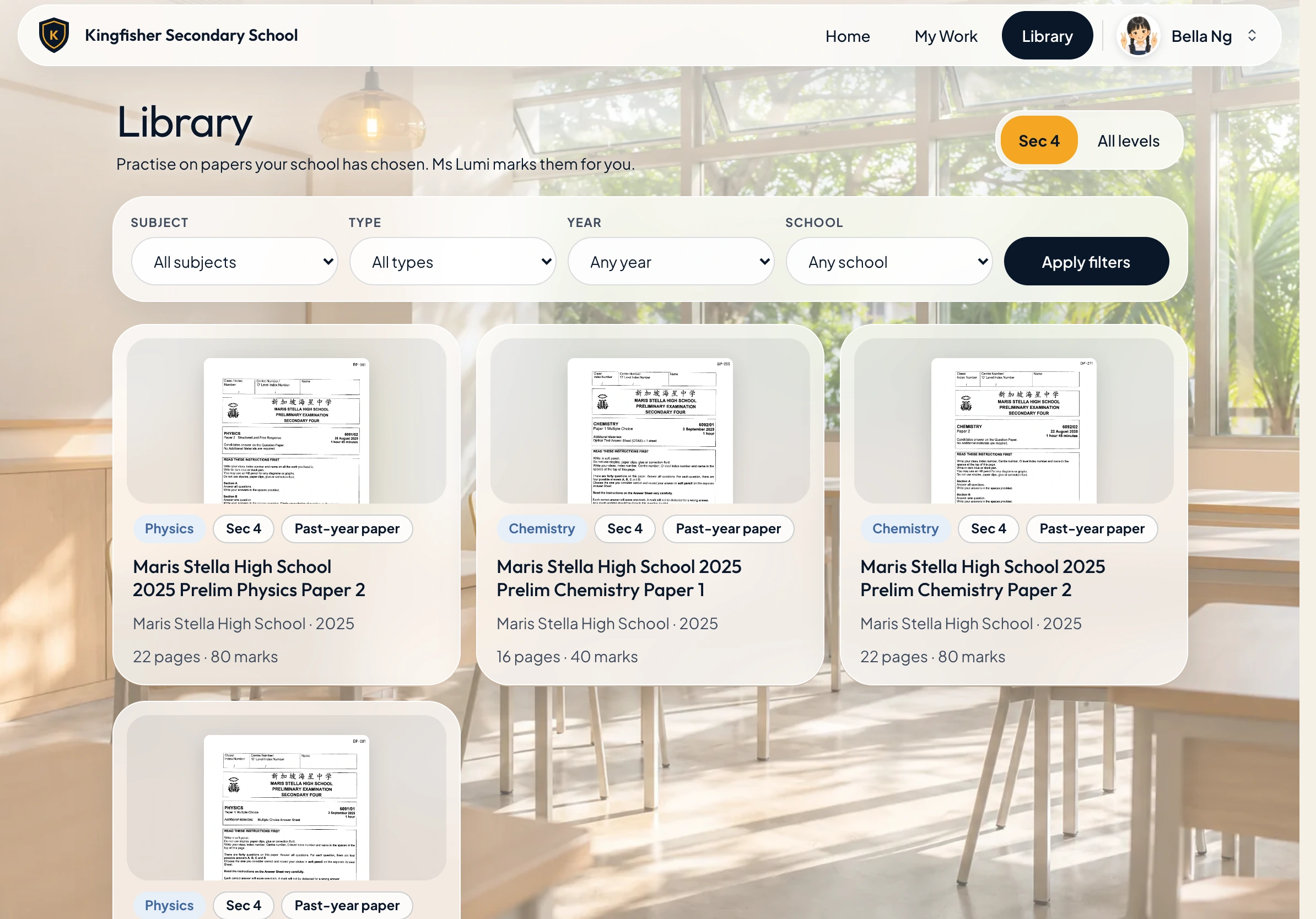
Bring a paper to the demo.
See how your department could set it, mark it and use the results in class.